
GPS Live Tracker: Locate Phone
African Humanitarian Relief AidMaps & Navigation
3.87.00 Reviews
- Version
- 0.1.5
- Installs
- 500.00K
- Age Rating
- Everyone
Screenshots
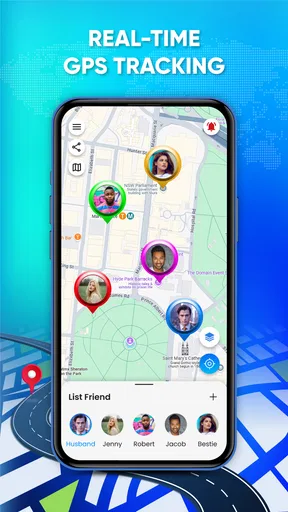
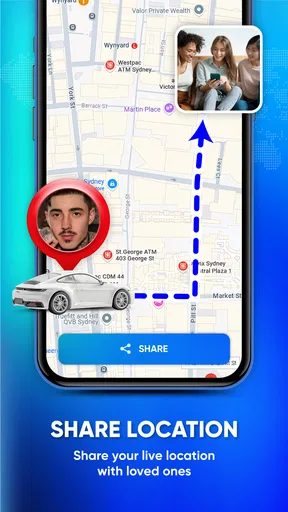
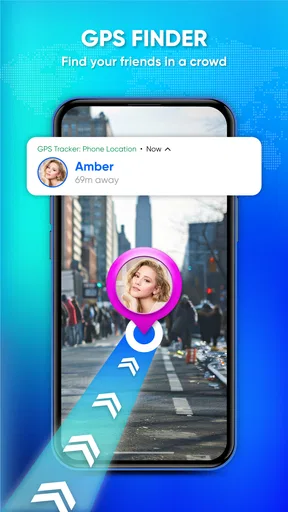
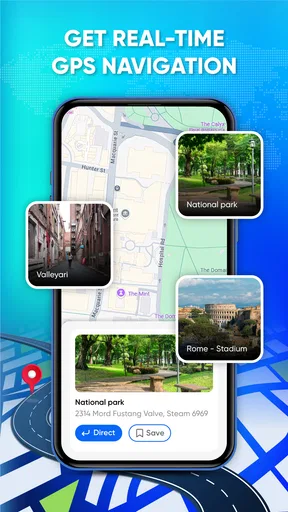
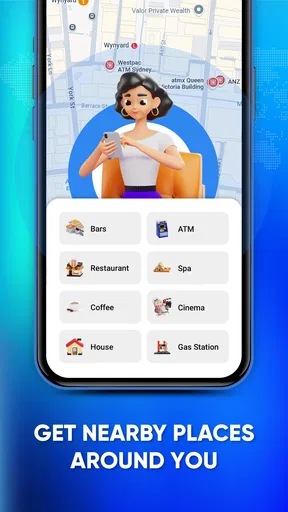
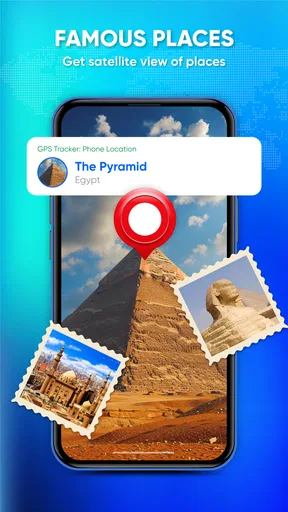
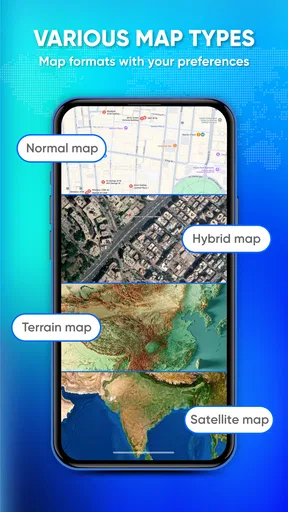
Our Review of GPS Live Tracker: Locate Phone
 Analysis by Appyee
I spent time with GPS Live Tracker: Locate Phone as a navigation app rather than treating it like a simple map replacement. Its main idea is straightforward: use GPS to help you follow a live mobile location, navigate, and explore. That focus makes it potentially useful for people who want a direct location tool, but it also means you should judge it differently from a full mapping platform with a huge collection of travel, traffic, and local-business features.
The app comes from African Humanitarian Relief Aid and sits in the Maps & Navigation category. It is free to install, carries an Everyone age rating, and supports devices running Android 7.0 or later. Its current version is 0.1.5, so I approached it as a relatively young product whose usefulness depends heavily on how well its central tracking workflow fits your daily routine.
What the app actually offers in everyday use
The most useful way to think about this app is as a focused GPS companion. Instead of opening it only when you need a conventional route between two addresses, you can use it when the important question is where a mobile device is now and how that location relates to your movement. That distinction matters for meeting someone, checking progress along a journey, or orienting yourself in an unfamiliar area.
In a realistic scenario, imagine waiting for a family member who is travelling across town. A normal map app may help you plan a route, but a live tracker is more relevant when you need to understand the person’s current position. I would use this kind of tool before leaving: check that location services are working, confirm the map is showing the expected area, and then keep the display available while coordinating the meeting. The benefit is not flashy; it is reducing the number of separate steps between location awareness and navigation.
That same workflow can help during outdoor exploration. If I am moving through an unfamiliar area, I want to know whether I am still progressing in the intended direction, not merely see a destination pin. A GPS-focused app can be less distracting than a large platform filled with restaurant listings, advertisements, reviews, and other information I do not need at that moment.
There is also a practical difference between tracking a location and proving that a person is safely reachable. I would not treat the app as a substitute for calling someone, agreeing on a meeting plan, or using an established family-safety service with clearly documented sharing controls. Location tools are only useful when the people involved understand what is being shared and when the displayed position is current enough for the situation.
Getting ready before relying on it
My first recommendation is to test the complete workflow while you are still at home. Open the app, allow the device’s GPS to settle, move a short distance, and check whether the position changes in a way that makes sense. Doing this before a trip is more valuable than discovering a location problem after you have already left.
Keep the phone’s location setting available and avoid assuming that every indoor position will be precise. Buildings, underground spaces, dense urban streets, and poor visibility of the sky can all make GPS-based positioning less dependable. That is not a special weakness of this particular app; it is a basic limitation of satellite positioning. The important point is that a live marker should be treated as guidance, not as an unquestionable measurement.
I would also pay attention to battery use during a long tracking session. Any application that repeatedly refreshes location can place more demand on a phone than a brief map lookup. If you are going on a long outing, start with a well-charged device and carry another way to communicate. This is especially important if the app is being used for coordination rather than casual exploration.
A useful habit is to separate three questions: where am I, where is the other device, and where should we meet? The app’s tracking purpose may help with the first two, while a normal navigation service may still be better for detailed route planning, transit choices, road conditions, or business information. Combining tools can be more reliable than forcing one focused tracker to handle every navigation task.
Cost, purchases, and the meaning of free access
The app is free to install, which makes trying its basic experience relatively easy. That is the clearest part of its value: you can assess whether its live location approach suits you without paying an upfront purchase price. For occasional users, that may be enough reason to test it alongside an existing map app.
There are also in-app purchases priced from $9.99 to $24.99 per item. I would not automatically treat those purchases as necessary. The sensible approach is to use the free access first, identify the exact part of the workflow you need, and only then decide whether a paid item offers enough practical benefit. The listed purchase range tells me that paid value may matter for some users, but it does not by itself establish that every useful function requires payment.
For that reason, I would avoid judging the app by the highest possible purchase alone. Someone who needs a location check now and then may receive enough value from free access. A person planning to depend on it regularly should examine the purchase screen carefully before committing, especially if the intended use is for travel, family coordination, or work. The right question is not “is it free?” but “does the free experience cover my actual tracking routine?”
I also recommend checking the wording around any purchase before confirming it. Look for whether the item is a one-time unlock or something that renews, and make sure the payment matches the feature you actually want. Those details affect value far more than the headline installation cost. Since the app is still on an early version, I would be particularly deliberate about paying for a feature before I have tested the free portion thoroughly.
Where it is more useful than a conventional map
A conventional map application is usually built around places, routes, search, traffic, businesses, and turn-by-turn travel. That is excellent when I know the destination and want the fastest or simplest way to get there. GPS Live Tracker: Locate Phone has a different appeal: it puts the live-location idea closer to the center of the experience.
That focus can make sense when the destination is not the main problem. If a friend is moving toward a meeting point, the useful information is their current relationship to that point. If I am exploring an area without a fixed address, my own position and direction may matter more than a list of nearby shops. In those cases, a focused tracker can feel more purposeful than a feature-heavy map.
The trade-off is that I would not expect it to replace a mature mapping service for every trip. When I need detailed street guidance, public transport planning, extensive place search, or broad travel context, a conventional map is likely the better first choice. The tracker makes more sense as a companion for live position awareness, not as an automatic replacement for all navigation tools.
Another distinction is that a location marker is not the same as a complete safety system. A dedicated family-location product may be preferable if your priority is long-term circles, alerts, history, or clearly defined sharing management. I would choose this app when I want to explore its GPS tracking approach, but I would compare those specialized services carefully before making it the foundation of a family safety plan.
Small workflow improvements that make a difference
One practical tip is to establish a meeting rule before using the tracker. Agree on a fixed landmark or area, then use the live position to decide when to move toward it. Without that agreement, watching a moving marker can create confusion: both people may keep adjusting their route and end up circulating around one another.
A second tip is to refresh your understanding of the situation after entering a building or changing transport. GPS may lag behind a real movement, and the most recent visible position may not represent the phone’s exact current location. I would pause, allow the app to update, and compare the result with a phone call or message if timing matters.
A third is to use the app for orientation rather than constant screen watching. Checking the direction at sensible intervals is safer and less tiring than staring at a moving display while walking or travelling. If I were driving, I would set everything up before moving and follow local road-safety rules rather than interact with the screen in traffic.
A fourth is to treat the phone hosting the tracker as part of the system. If it loses power, loses connectivity, or has location services disabled, the map cannot compensate. I would tell the other person what to do if the marker stops updating, such as sending a message with a landmark or calling directly. That backup plan turns the app from a single point of failure into one part of a more dependable arrangement.
Who is likely to get the most value
I see the strongest fit for casual explorers, people coordinating a meeting, and users who want to test a dedicated GPS tracker without paying an upfront fee. It may also appeal to someone who finds large map applications too busy when the immediate need is simply understanding a live position.
It can be useful for a small group planning an outdoor rendezvous, provided everyone agrees on how location information will be used. It may also help a traveller who wants a focused way to orient themselves during movement, while keeping a broader map service available for route details and local search.
The app has reached over 500 thousand installs and holds an average rating of 3.8 from around 791 ratings. I read that as evidence of meaningful interest, but not as a reason to assume it will work perfectly for every phone or situation. The number of ratings suggests that people are trying it, while the middling average encourages a realistic trial rather than blind reliance.
I would be more cautious if you need guaranteed precision, dependable background monitoring, extensive location history, or a mature emergency feature set. Those needs call for careful comparison with established navigation or safety products. I would also skip it as a primary tool if your phone is older than the supported Android requirement, since compatibility comes before any feature discussion.
Limitations I would consider before installing
The current version is 0.1.5, and that early version number shapes my expectations. I would allow for a less polished experience than I might get from a long-established navigation platform. That does not make the app unusable, but it does make testing important, particularly before a journey where another person is depending on the location information.
The app’s value also depends on context. GPS works best when the device can establish a clear position, and the usefulness of a live marker falls quickly when the phone is indoors, the signal is obstructed, or the device cannot keep updating. I would not use it as the only method of finding someone in a complex emergency.
There is a learning cost as well. A focused tracker may be easy to understand once the basic flow is clear, but a user expecting the search depth and route intelligence of a major map platform could find the experience narrower. The app is not automatically better because it does fewer things; its advantage appears when those fewer things match the problem I am trying to solve.
Privacy is another area where I would be deliberate. Location is sensitive, so I would only use sharing or tracking in situations where everyone involved understands the arrangement. I would review the phone’s location controls and avoid leaving access active longer than needed. Even when an app is rated for Everyone, that does not remove the need for sensible adult supervision of location sharing on shared or family devices.
My buy-or-skip verdict
I would recommend trying GPS Live Tracker: Locate Phone if you want a free starting point for live GPS location awareness and are comfortable testing it before depending on it. Its strongest quality is its focused purpose: it can be more convenient than opening a broad map when the immediate task is understanding a current mobile position.
I would not recommend paying for an in-app item immediately. First, use the free access in the exact situation you care about, such as coordinating a meeting or checking your position during an outing. Then decide whether the paid option solves a real problem rather than merely adding a feature that sounds useful. The purchase prices range from $9.99 to $24.99 per item, so that decision deserves more thought than a casual tap.
For detailed routes, local discovery, traffic, and transit, I would keep a conventional map application available. For serious family safety or continuous monitoring, I would compare a specialized service with clearer tools for those responsibilities. This tracker is best viewed as a focused companion, not a universal replacement.
My final view is cautiously positive. The free entry point makes experimentation reasonable, the live-location concept has clear everyday uses, and the app’s Everyone rating makes it approachable for a broad audience. At the same time, its early version, GPS limitations, possible paid upgrades, and narrower role mean I would test it patiently and keep a backup communication method. Choose it for focused location awareness, not for promises it was never designed to make.
Verdict
Strengths of GPS Live Tracker: Locate Phone
- Live location updates help monitor a phone’s current position.
- Simple interface makes basic tracking features easy to access.
- Useful for coordinating meetups with family or friends.
- Location sharing can provide extra reassurance during trips.
- May help locate a misplaced device if location access is enabled.
Limitations of GPS Live Tracker: Locate Phone
- Accurate tracking depends on GPS, mobile data, and battery availability.
- Continuous location sharing can drain the phone’s battery quickly.
- Background tracking may raise privacy concerns for some users.
- Indoor and weak-signal locations may be delayed or inaccurate.
- Some features may require subscriptions or in-app purchases.
Similar Picks in This Category
View All
Uber - Request a ride
Uber Technologies, Inc.4.7


inDrive. Rides with fair fares
® SUOL INNOVATIONS LTD4.8

Yandex Go: Taxi Food Delivery
Mikromobilnost LLC Belgrade4.8

Bolt: Request a Ride
Bolt Technology4.8

Rapido: Bike-Taxi, Auto & Cabs
Rapido Bike Taxi4.8
Frequently Asked Questions
What is GPS Live Tracker: Locate Phone used for?
GPS Live Tracker: Locate Phone is designed to help users view and share real-time location information through GPS. It can be useful for keeping track of family members, coordinating with friends, finding a misplaced device, or monitoring a journey. Before using it, remember that location accuracy depends on GPS, mobile data, Wi-Fi, and the phone’s environment, especially indoors or in crowded urban areas.
Does GPS Live Tracker: Locate Phone require permission to access my location?
Yes. The app needs location permission to determine and display a device’s position. Depending on your phone and the features you use, it may request access while the app is open or in the background. You should review these permissions carefully and select the option that matches your needs. Location sharing should always be enabled knowingly and with the consent of everyone involved.
Can I track another person’s phone without them knowing?
No. Responsible location tracking requires the other person’s knowledge and agreement. The app cannot ethically or legally be used to secretly monitor someone, and modern Android and iOS privacy controls may restrict background tracking without clear permission. Parents, families, and groups should discuss how location sharing works, who can see the information, and when tracking should be stopped.
Will GPS Live Tracker: Locate Phone work without an internet connection?
The phone may still determine its approximate GPS position without mobile data or Wi-Fi, but sharing that location in real time generally requires an internet connection. If the signal is weak, the device is indoors, battery-saving mode is active, or location services are disabled, updates may be delayed or unavailable. For reliable tracking, keep GPS, connectivity, and sufficient battery enabled.
Is GPS Live Tracker: Locate Phone free to download and safe to use?
The app may be available to download at no initial cost, but some features can depend on advertising, subscriptions, or in-app purchases, so check the current store listing before installing. Safety also depends on your privacy settings and account practices. Download only from the official Google Play Store or Apple App Store, review requested permissions, and avoid sharing location access with unknown people.
